Onboarding guide
Getting started with Kasb
Welcome aboard. Pick the product you bought below, then follow the steps to switch on your access and log in. It only takes a couple of minutes.
Activate your Radar access
Activation happens in one quick exchange on WhatsApp. Here's the full flow, start to finish.
-
1
Complete your purchase
After checkout, you'll land on a thank-you page with a button to activate your account.
Preview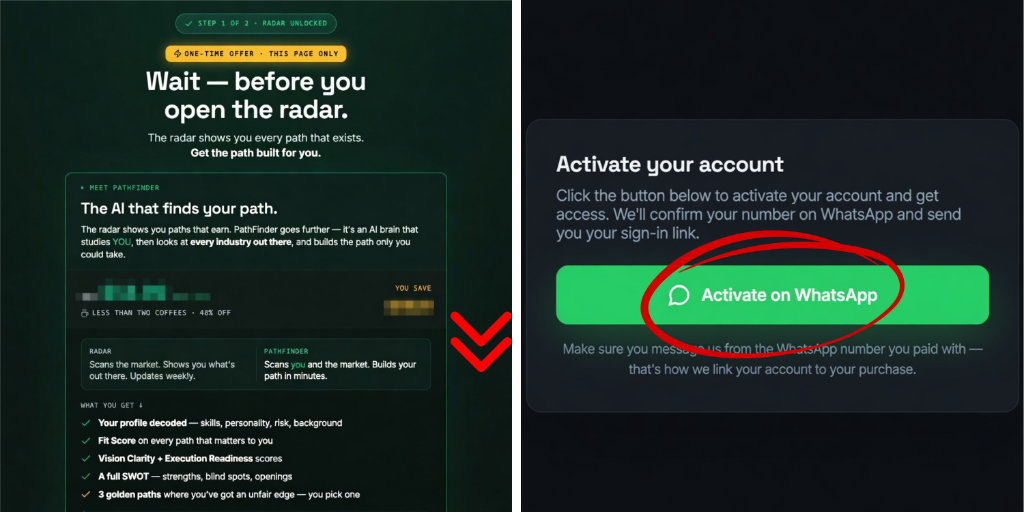
-
2
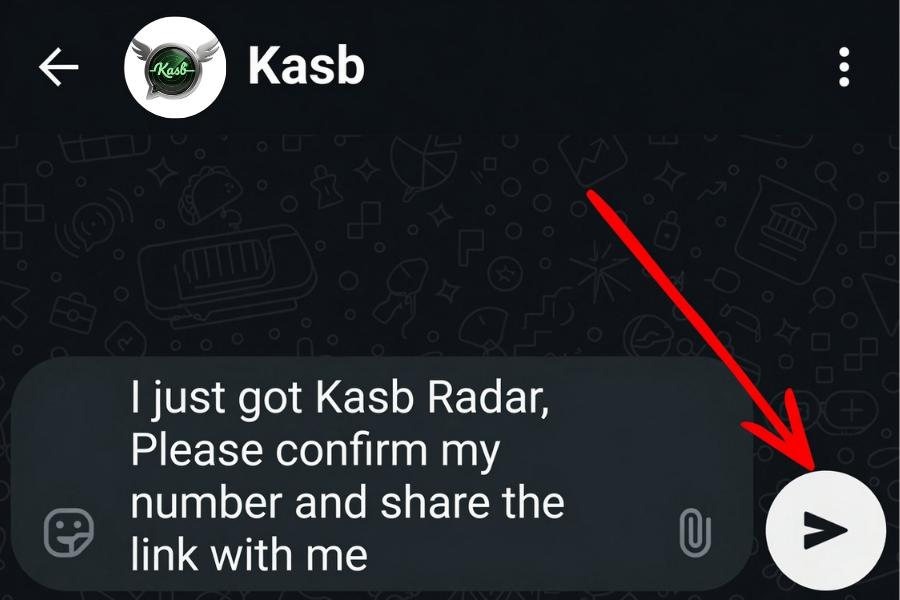
Tap “Activate on WhatsApp”
The button opens a ready-made message to our official Kasb WhatsApp. Send it exactly as it is.
-
3
We confirm and unlock
Our WhatsApp confirms your purchase, switches on your access, and replies with your personal login link.
-
4
Log in with your number
Open the link and enter the WhatsApp number you bought with. That number is your key — no password to remember.
Preview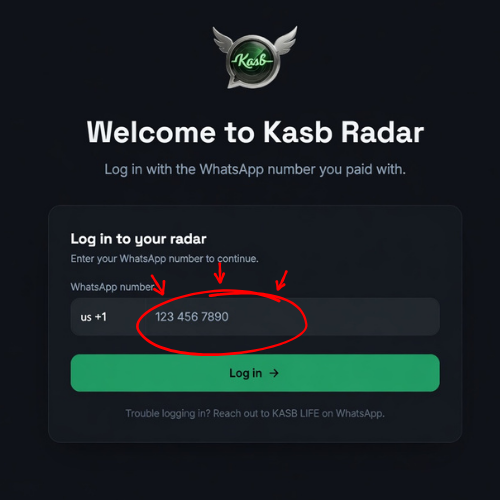
Log back in any time with the same WhatsApp number.
Activate PathFinder and complete your assessment
PathFinder begins as a chat and ends with your profile in the dashboard. Follow these steps from purchase to finished profile.
-
1
Complete your purchase
After checkout, you'll land on your thank-you page.
Preview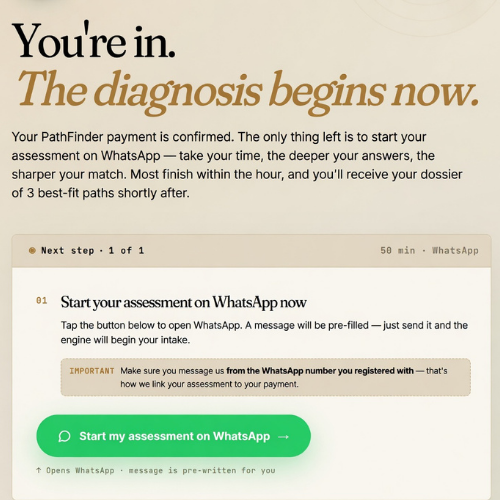
-
2
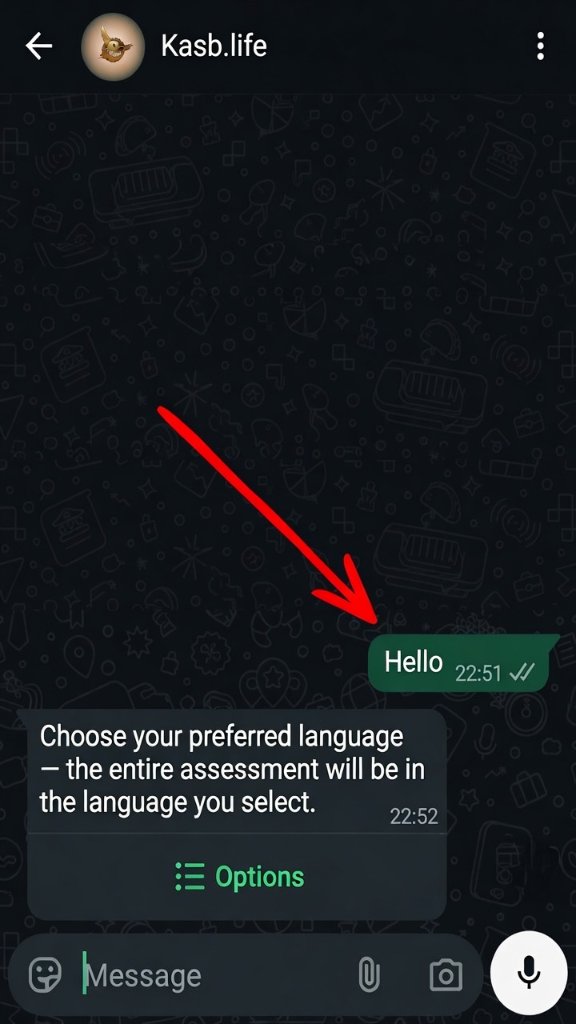
Message the Kasb AI on WhatsApp
Tap the button to open a chat with the Kasb AI — a separate number from our support WhatsApp. Sending the first message switches on your access: the AI replies with this onboarding guide, then begins your assessment right there in the chat.
Preview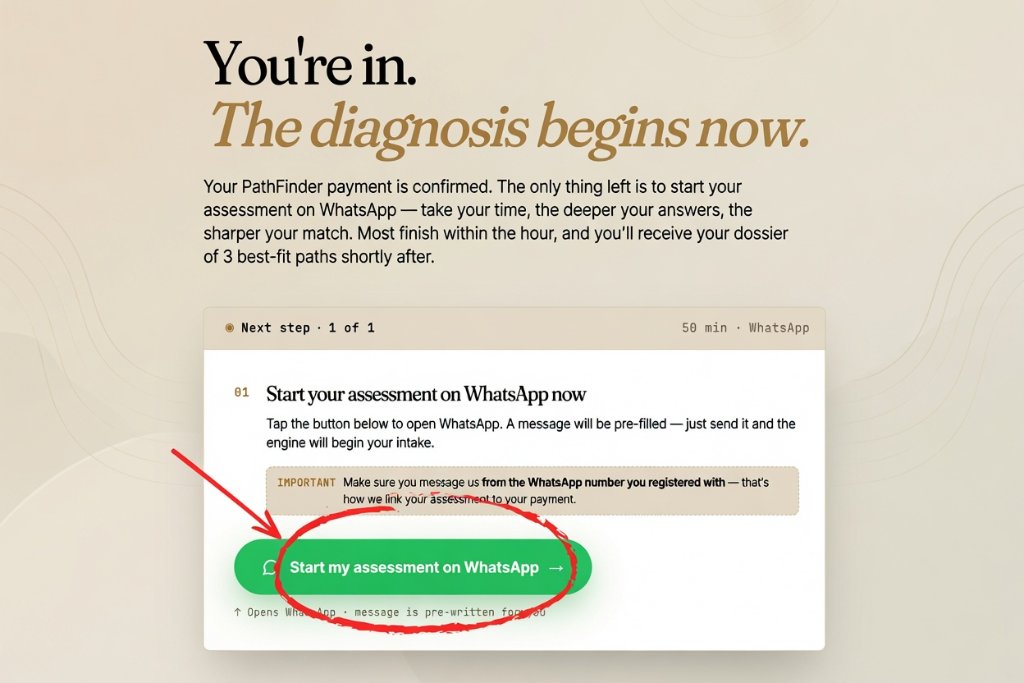
-
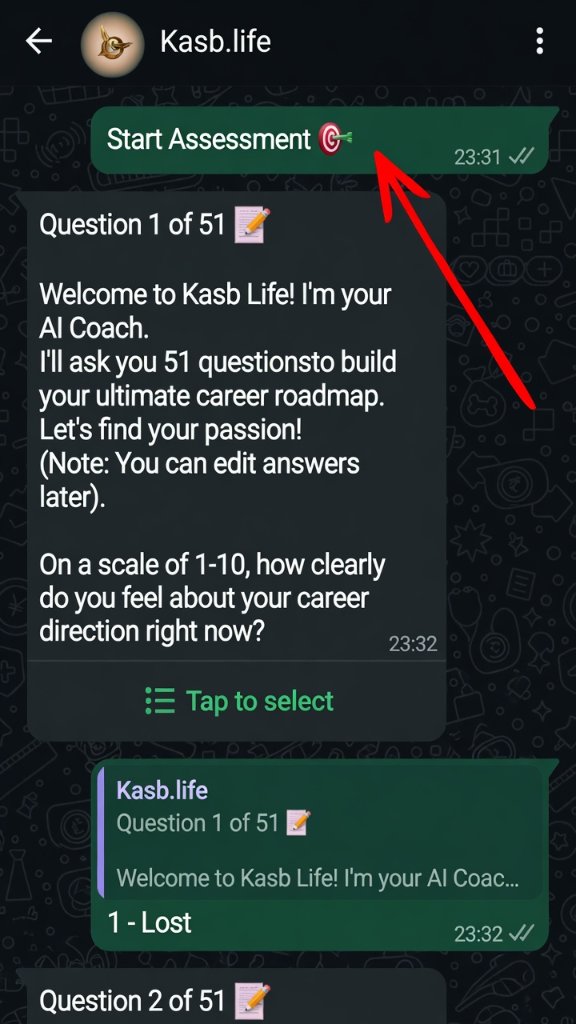
3
Take the assessment in the chat
The AI walks you through it one question at a time. Set aside some focused, uninterrupted time — the depth of your answers is what makes your result accurate.
-
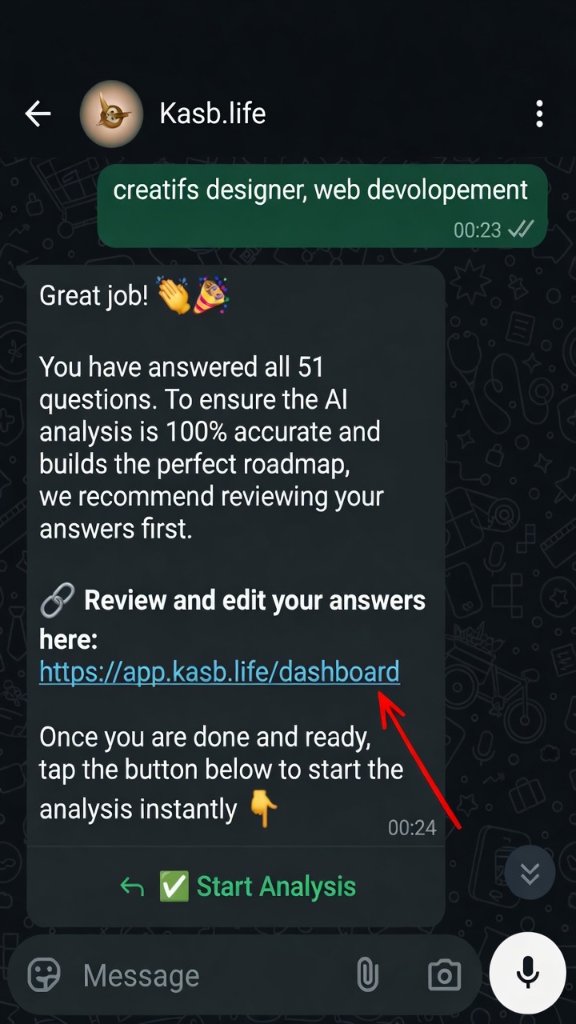
4
Head to your dashboard
When the assessment is finished, the chat sends you to your dashboard at app.kasb.life.
-
5
Create your account — first visit only
The first time you arrive at the dashboard, set up your account.
Use these exact details- Your email
- The same WhatsApp number you bought and chatted with
- A password you choose
The matching WhatsApp number is what links your assessment answers to your new account, so double-check it's identical to the one you used.
Preview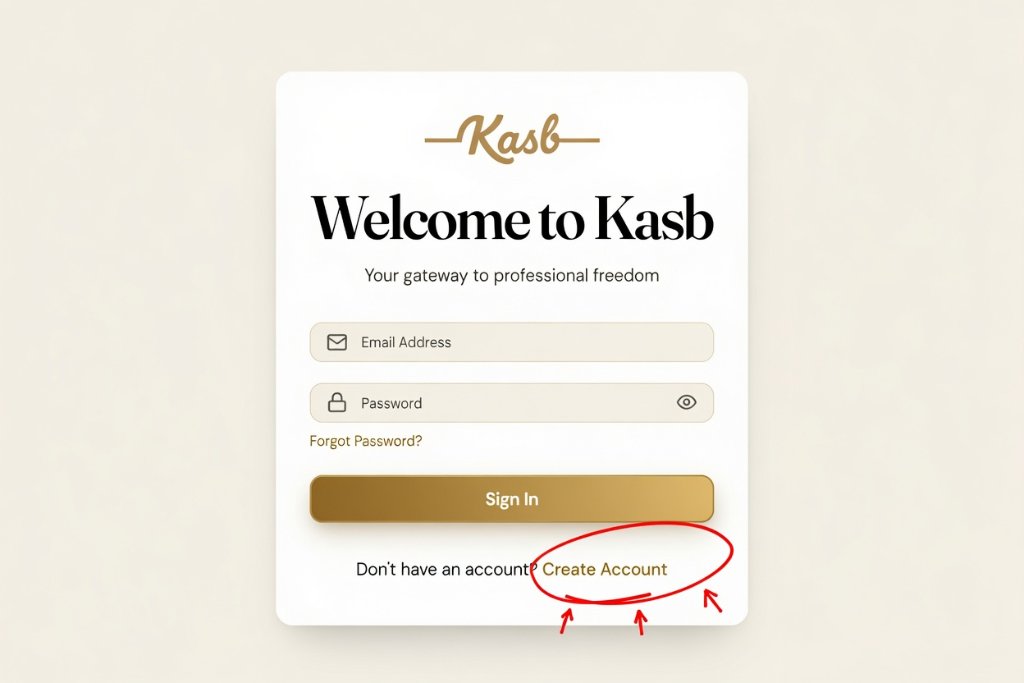
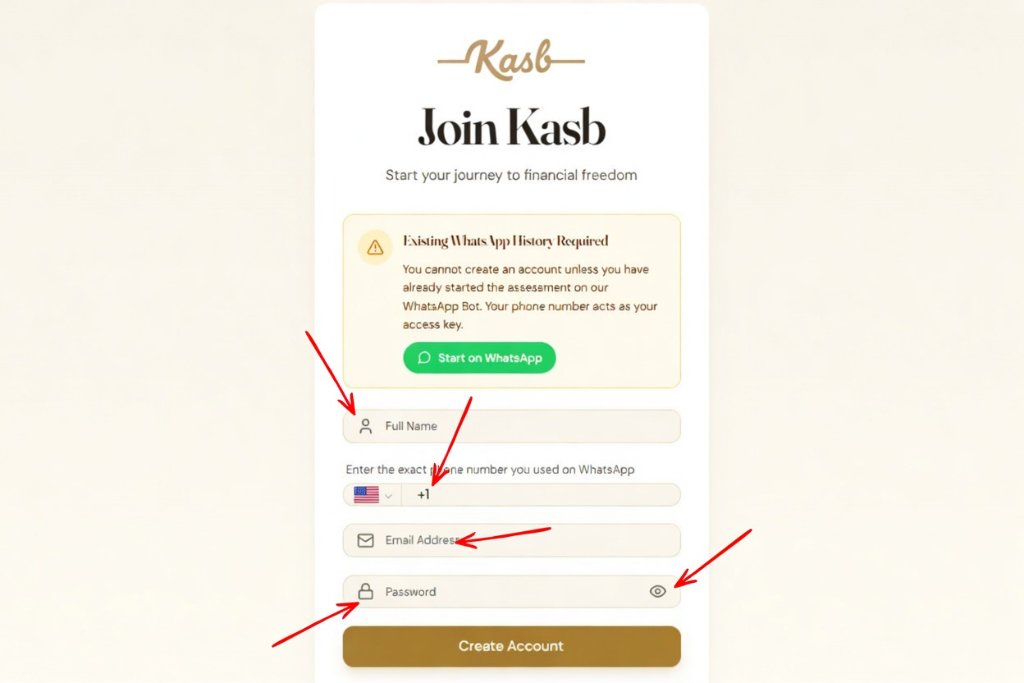
-
6
Log in and finish
Once your account is created, log in to review your answers and complete anything that's left.
Preview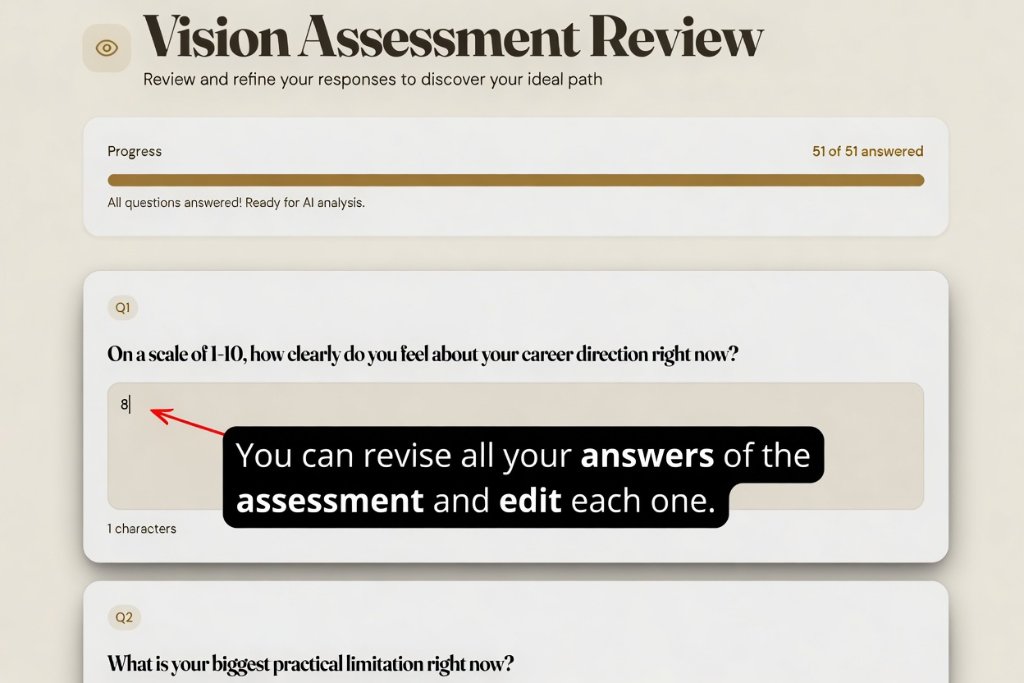
-
7
Your profile is ready
Within a few minutes, your profile is built — your single best-fit path, plus two strong alternatives.
Preview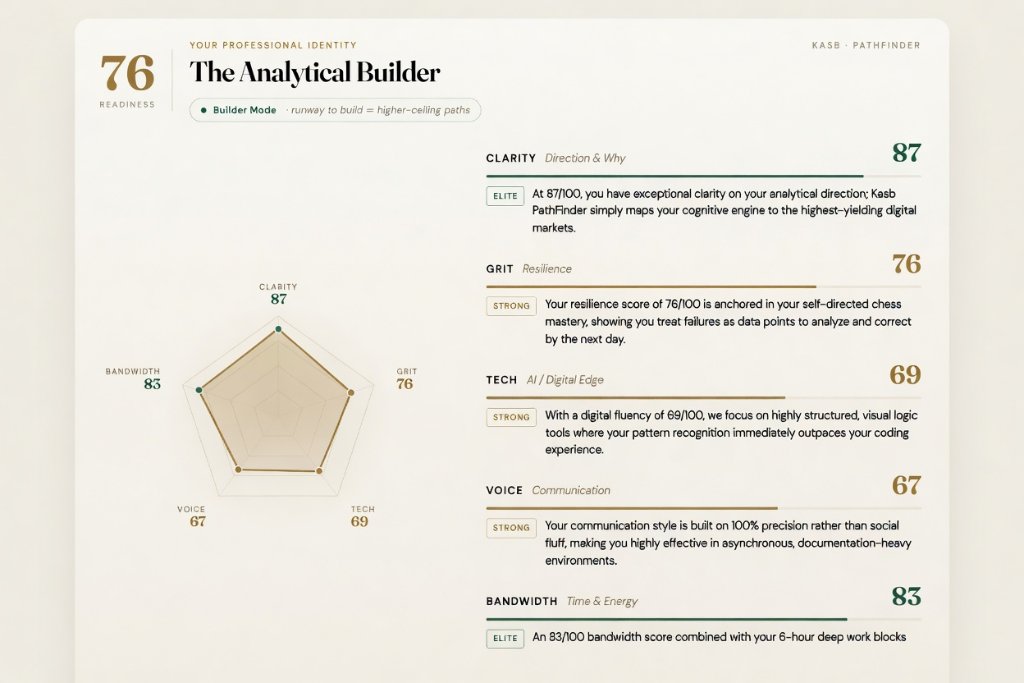
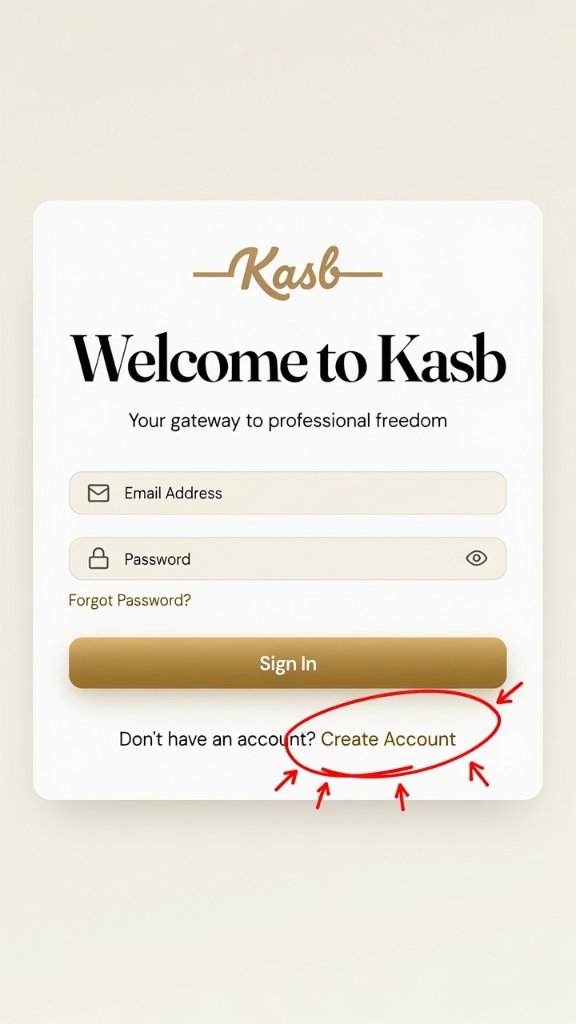
Log in with the email and password you set.
Need a hand?
We're one message away
Stuck on a step, or waiting longer than expected? Reach us directly and a real person will help you through it.
Best for activation, access and login questions. This is our support line — your PathFinder assessment runs on a separate Kasb AI number you'll get at checkout.
Message us on WhatsAppBest for anything that needs a little more detail, screenshots or attachments. We'll get back to you as soon as we can.
Email usTip: when you message us, send the email or WhatsApp number you bought with — it helps us find your order straight away.
We use cookies to improve your experience, analyze traffic, and measure our marketing. By continuing to use this site, you agree to our use of cookies. See our Privacy Policy.